“Free Wi-Fi” tells you very little about whether a hotel is actually suitable for working. It might mean a reliable connection throughout the property, or a signal that works perfectly in the lobby but struggles in your room when several guests are online. The same applies to the rest of the hotel: a beautiful room is less useful if there is nowhere comfortable to work, and a peaceful-looking resort can become surprisingly noisy during your working hours.

That matters when you’re combining work with travel. A slow connection is frustrating; missing a meeting or struggling to finish a deadline is another matter entirely. Choosing the right hotel doesn’t mean turning your holiday research into a technical exercise. It means looking beyond the usual amenities and considering whether the room, connection, location and backup options will actually work for the way you work.
Ask about the room, not the building
Hotels often advertise one internet service across rooms, restaurants, terraces, and conference spaces. Performance can vary between them. Distance from an access point, thick walls, busy periods, and the number of connected guests all affect the experience.
Contact the hotel with a specific question: Is Wi-Fi available inside the room category you plan to book, and do guests regularly use it for video calls? A speed test taken at reception doesn’t tell you much about what the connection will be like from your room.
Also check whether the network limits the number of devices. A laptop, phone, tablet, and travel companion’s devices can reach a low limit quickly. Ask whether guests must sign in again each day and whether the login page works with work devices. A clear explanation of where the connection works is more useful than a confident promise that it is “fast”.
Read reviews for evidence, not adjectives
Recent guest reviews can reveal conditions the amenity list cannot. Search within them for terms such as “Wi-Fi”, “video call”, “remote work”, “desk”, “noise”, “meeting” and “quiet room”.
“Great internet” is encouraging but vague. “I joined two morning calls from room 314 without interruption” is more useful because it identifies an activity and location. The opposite is also true. One complaint from three years ago should not outweigh many recent reports, especially if the hotel has since renovated or changed providers.
Look for patterns. Several guests mentioning weak room coverage deserve attention. Several people praising only the lobby connection suggest a better question to ask.
Check the workspace as carefully as the Wi-Fi
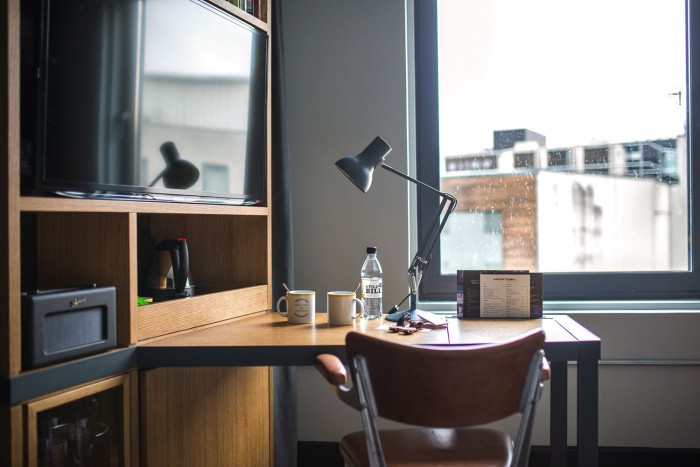
A perfect connection does not fix a room where the only chair is a low armchair and the only outlet is behind the bed. Study room photographs with work in mind. Is the “desk” deep enough for a laptop and notebook? Does the chair look comfortable enough for a couple of hours? Can you place a light in front of you rather than sitting with a bright window behind your head?
Noise deserves its own check. If calls are important, ask about quieter rooms and whether a lounge, business area, or meeting room can serve as a backup.
Privacy is practical as well as personal. A beautiful open lobby is a poor place to discuss client details. Headphones help, but they do not prevent everyone nearby from hearing your side of the conversation.

Build a connection fallback before arrival
A workation shouldn’t depend entirely on the hotel’s Wi-Fi. Check mobile coverage and whether your normal plan, roaming option, local SIM, or eSIM can provide enough data for essential tasks. Tethering a laptop to a phone will not match every hotel connection, but it can keep a short meeting or urgent message moving.
If the hotel Wi-Fi fails, mobile data may be the simplest backup. Check your provider’s roaming terms before you travel, particularly outside Europe, and consider whether a local SIM or eSIM would be more practical. Research how to budget your data while travelling and learn how to keep data use under control when you’re abroad.
Know where you could go if both connections fail. A nearby coworking space or quiet café can be useful, but opening hours, call policies, and travel time matter. A “five-minute walk” on the map may not feel convenient when a meeting begins in fifteen minutes.
Your backup doesn’t need to replicate the hotel’s connection; it simply needs to keep essential work moving when the main network fails.
Test the actual work stack at home
Do not use departure day to discover that a security tool, meeting platform, or company login does not behave as expected. Sign in, update applications, and test the normal workflow while account-recovery options are easy to reach.
If you use a VPN or secure remote-access system for work, test it before departure and check that your usual video calls, file storage and company portals work as expected. A Free VPN can be useful for personal browsing or testing, but check whether your employer requires an approved service for work. Ask the hotel whether VPN connections are supported, and keep mobile data available as a backup.

Photo by Thought Catalog on Unsplash
Consider the job and the time zone
The right hotel for a writer working offline most of the day may be wrong for a consultant leading six video calls. Weight the checklist according to the work.
Start with the fixed obligations. Convert meeting times into the destination’s time zone and notice what they do to the trip. A 4pm team call in the UK could become a midnight meeting elsewhere, depending on where you travel. And a sea view is less appealing if the hotel becomes noisy just as your working day begins. If you’re considering Thailand for a longer workation, my best digital nomad locations in Thailand covers some of the places that are particularly well suited to remote work.

Photo by Anna Zviahina
For more inspiration, Condé Nast Traveller’s best workation destinations looks at cities where work and travel can coexist.
Location also has a cost. A cheaper hotel far from everything may add travel time to each free afternoon, while a more central room could leave you with more time to enjoy the destination. Think about what you actually want from the trip as well as where you need to work. My guide to curating your perfect luxury explores some of the details that can turn a hotel stay into a more considered travel experience.
Score the hotel against real requirements
Create four categories: connection, workspace, backup, and location. Give each a weight based on the job. Someone delivering live training might put half the score on connection and backup. Someone checking messages before breakfast can give more weight to location and comfort.
Then score only the evidence you have. “Free Wi-Fi” earns less than recent room-level reports. “Desk available” earns less than a photograph showing the chair, outlet, and usable surface. A specific coworking space or quiet café nearby is more useful than a vague plan to find somewhere if needed.
This method will not guarantee a flawless stay. Hotels change, networks fail, and neighbouring guests can surprise you. It does reveal which booking rests on evidence and which one rests on attractive photographs.
A good workation hotel doesn’t need to feel like a corporate office. It needs to let work finish reliably enough that the rest of the destination can begin.